
What Happened: eBay's Active Content Ban
In May 2024, eBay began hard enforcement of its active content policies. All iframes, JavaScript, and embedded scripts were permanently blocked from listing descriptions. This affected every video embed service that relied on iframe players — including YouTube embeds.
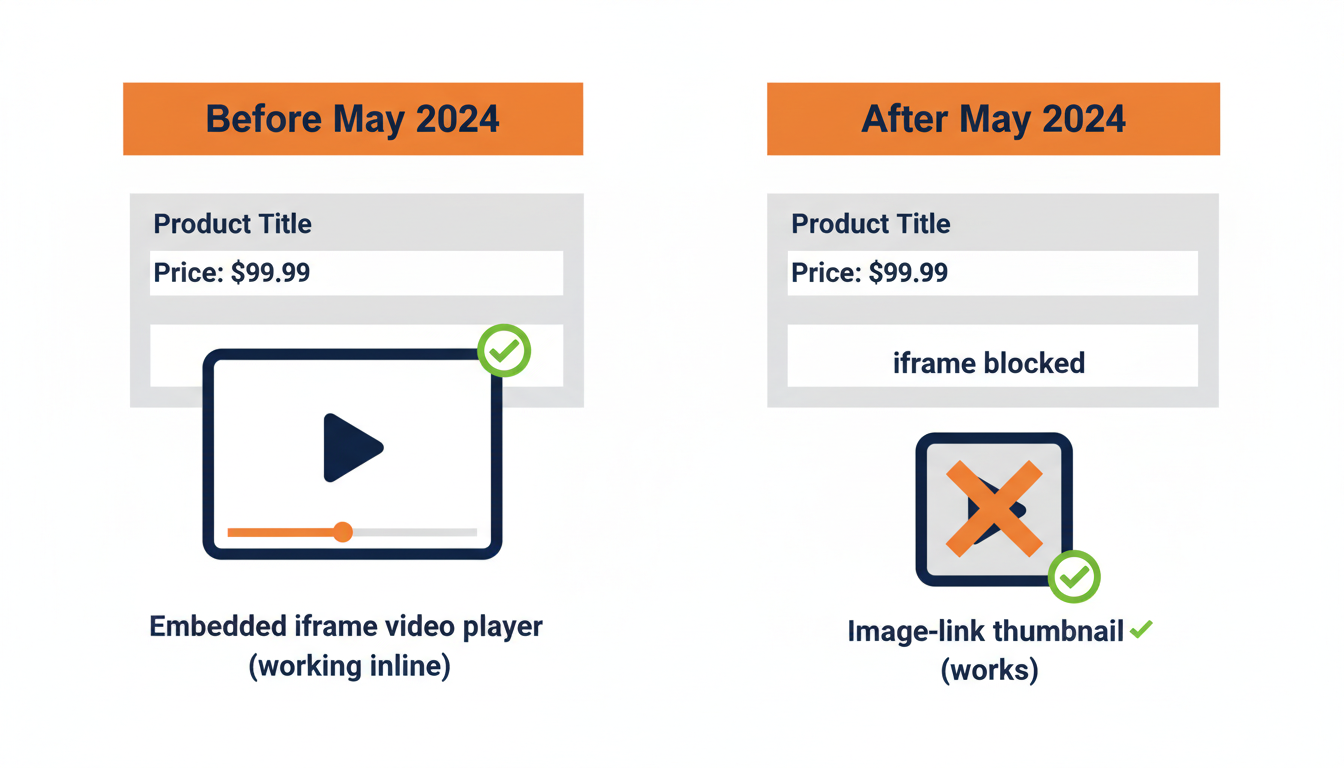
The change caught many sellers off guard. One day their product videos were playing in their listings. The next day, they were gone.
The Method That Still Works: Image Links
While eBay blocks embedded players, it still allows standard HTML image tags wrapped in links. This is the image-link method: a clickable thumbnail image that opens your video player in a new tab when a buyer clicks it.
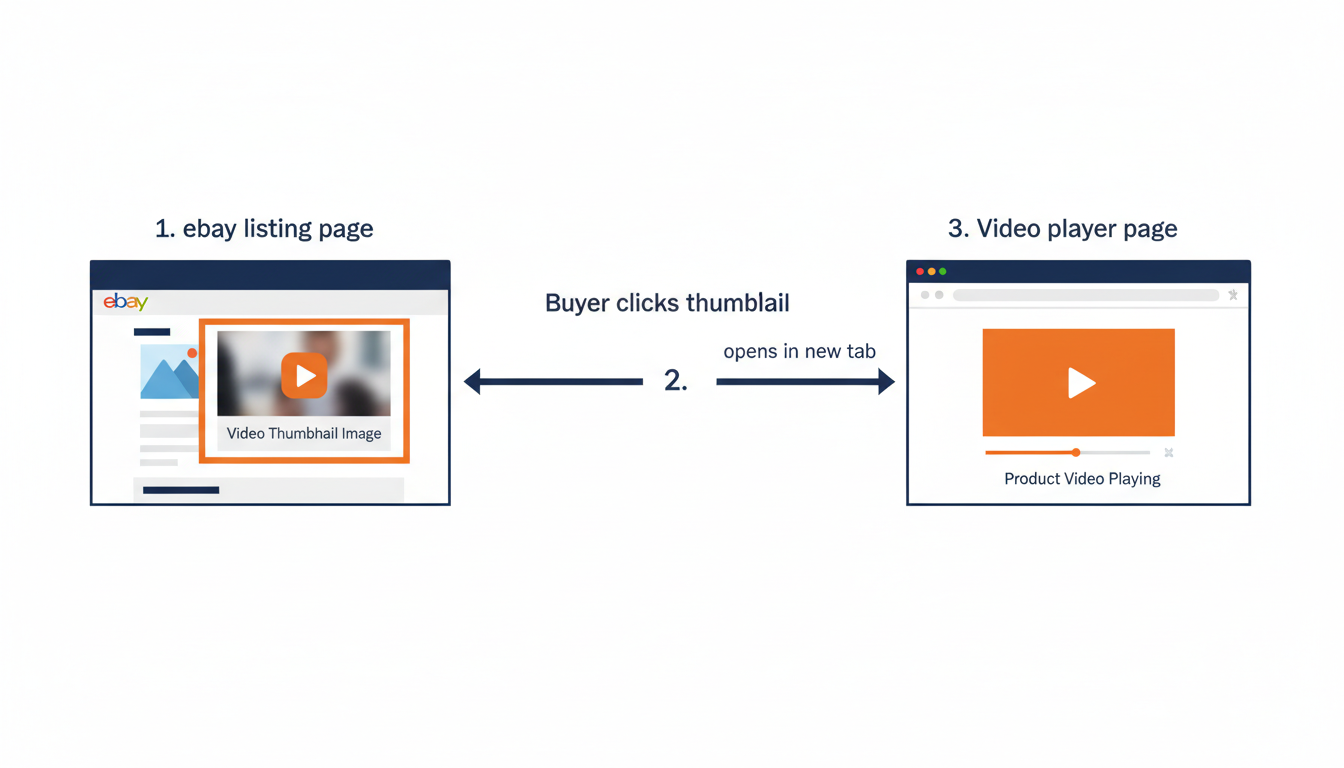
Here is how it works: you upload your video to eCommercePlayer, create a player, and get the Image Link code from the Publish page. The code is a simple <a> tag wrapping an <img> tag — eBay allows both of these elements.
When a buyer sees your listing, they see a video thumbnail. When they click it, your full video player opens in a new tab. It is not quite as seamless as an inline embed, but it works reliably and is fully eBay-compliant. This method is part of our full eBay listing optimization checklist for 2026.
Step-by-Step: Adding Video to Your eBay Listing
- Create a free account at ecommerceplayer.com (free plan includes 5 clips)
- Upload your video and wait for encoding to complete (usually a few minutes)
- Create a player and add your video to it
- Go to the Publish page and copy the Image Link code
- In eBay's listing editor, switch to the HTML tab
- Paste the code into your item description
- Preview and publish
The same method works for audio clips. If you sell vinyl records, instruments, or anything where sound matters, you can embed an audio player thumbnail the same way — giving buyers information they simply cannot get from photos alone. For tips on making the most of your product video once it is embedded, see Product Video Tips for eBay Sellers in 2026.
Why This Method Is Better Than YouTube
Even before the active content ban, YouTube embeds on eBay had problems:
| Issue | YouTube | eCommercePlayer |
|---|---|---|
| Ads before your video | Yes | No |
| Competitor suggestions after playback | Yes | No |
| Third-party branding over your content | Yes | No |
| Play count analytics | No | Yes |
| Audio-only player support | No | Yes |
With eCommercePlayer, there are no ads, no suggested videos, and no third-party branding. Your buyer sees your product and nothing else. Plus, you get play count analytics so you can track which listings get the most video views — a useful signal for understanding which products need better media. For a full comparison, see eCommercePlayer vs YouTube for product listings.
Related Articles
Ready to add media to your listings?
Create your free account in under a minute. No credit card required.